
Per-user versus flat subscriptions: how to compare software bills
 By Mrunal Walke2 min read
Compare per-user and flat software subscriptions with the same feature scope, usage assumptions, and annual billing period.
On this page
To compare per-user and flat-rate software pricing, calculate the total for the users and capabilities you actually need. Then add required usage charges and retained tools. A flat fee is not automatically unlimited, and a per-user fee is not automatically expensive.
Start with the definitions in the quote
Confirm which people count as paid users, whether occasional access has a different price, what usage is included, and which features require another tier. Record minimum commitments and annual billing conditions. Use the signed proposal or current vendor terms for a real purchase decision.
The following amounts are hypothetical US dollars and exclude tax, implementation, currency conversion, and changing prices.
Calculate the recurring comparison
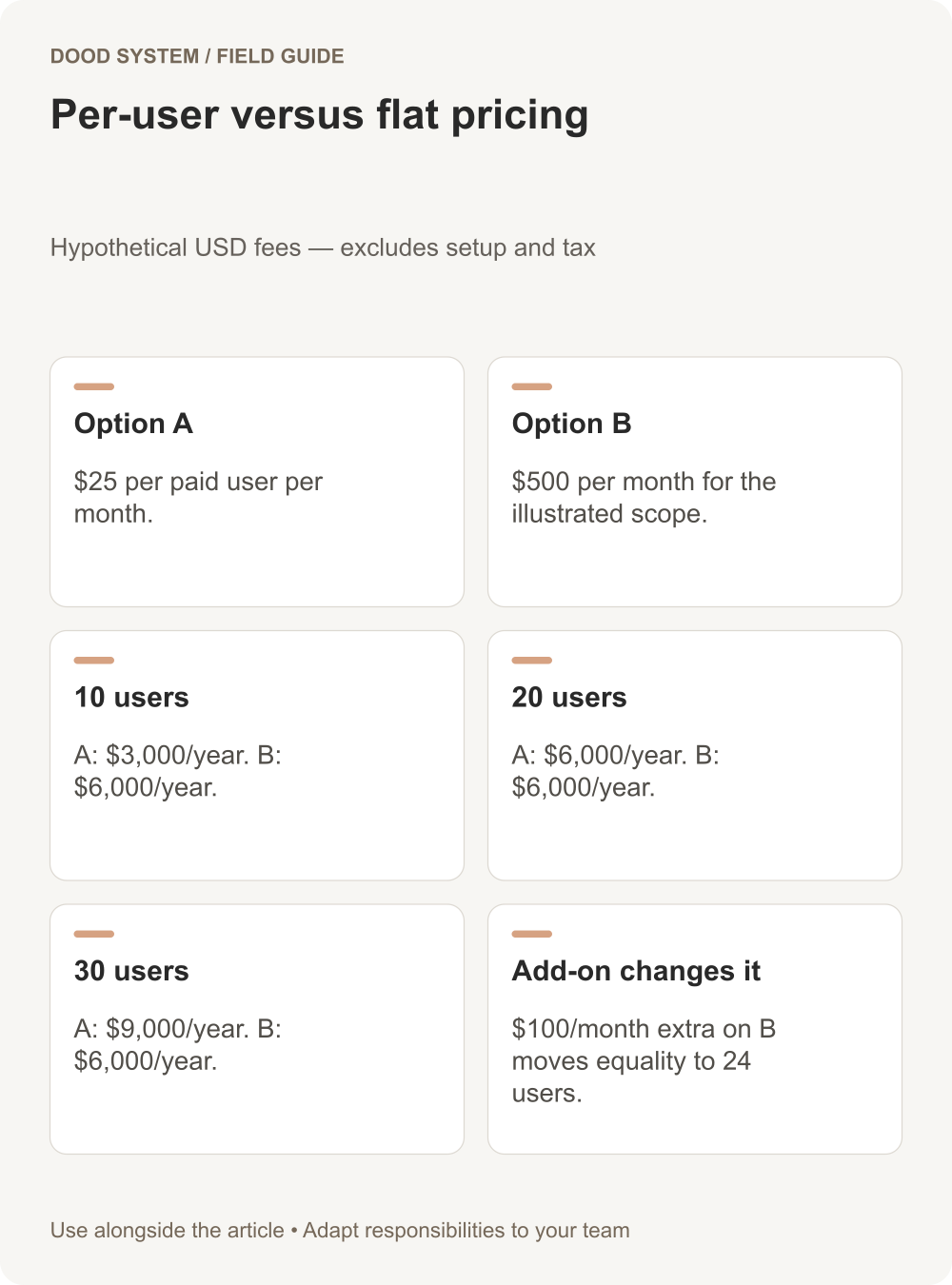
Suppose Option A costs $25 per user per month. Option B costs $500 per month for the required scope at all user counts illustrated below.
| Paid users | Option A annually | Option B annually |
|---|---|---|
| 10 | $3,000 | $6,000 |
| 20 | $6,000 | $6,000 |
| 30 | $9,000 | $6,000 |
Under those assumptions, recurring fees are equal at 20 users. The calculation is $500 divided by $25. This result is specific to the invented example; it says nothing about any vendor's current plans.
Add the qualification that changes the answer
If Option B needs a $100 monthly add-on, its annual total becomes $7,200 and the fee crossover becomes 24 users. If it has a usage cap that your business exceeds, include that excess cost too.
If Option A offers functions that remove another paid tool, compare the whole required arrangement. Conversely, keep the cost of any specialist tool that remains under either option. Do not treat a tool as replaced until the required workflow has been demonstrated.
Separate year one from steady operation
Migration, setup, training, and contract overlap can make the first-year result different from recurring fees. Show those lines separately. Avoid claiming payback from a monthly difference without including the initial work and the period over which it is recovered.
Use low, expected, and high user-count scenarios. Record what would need to be true for the favored option to become worse value. That is often the most useful question in the comparison.
Try the software comparison section for a starting estimate, then discuss the workflow and implementation scope. The best cost model compares working alternatives with explicit assumptions.
